
Some users of Asset Booker may encounter an error stating “We’ve run into an issue” like the example below:

This is related to Microsoft Team’s memory allocation in the WebView2 function and is a recently wider issue affecting some Power Apps delivered via Teams.
A resolution for users who are experiencing this issue is as follows:
- Quit Microsoft Teams fully by right clicking the icon via the system tray.
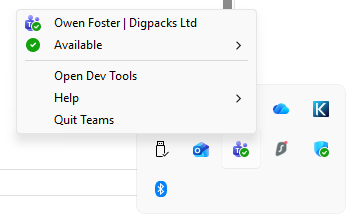
- Navigate to this folder on via windows explorer: C:\Users\[UserName]\AppData\Local\Packages\MSTeams_8wekyb3d8bbwe\LocalCache\Microsoft\MSTeams replacing the username section with the users account name e.g. JohnSmith
- Delete the folder named EBWebView this is a folder for cached data within Microsoft Teams.
- PLEASE NOTE: This will also clear some Teams settings such as saved custom backgrounds, ensure these are available to be reapplied post deletion.
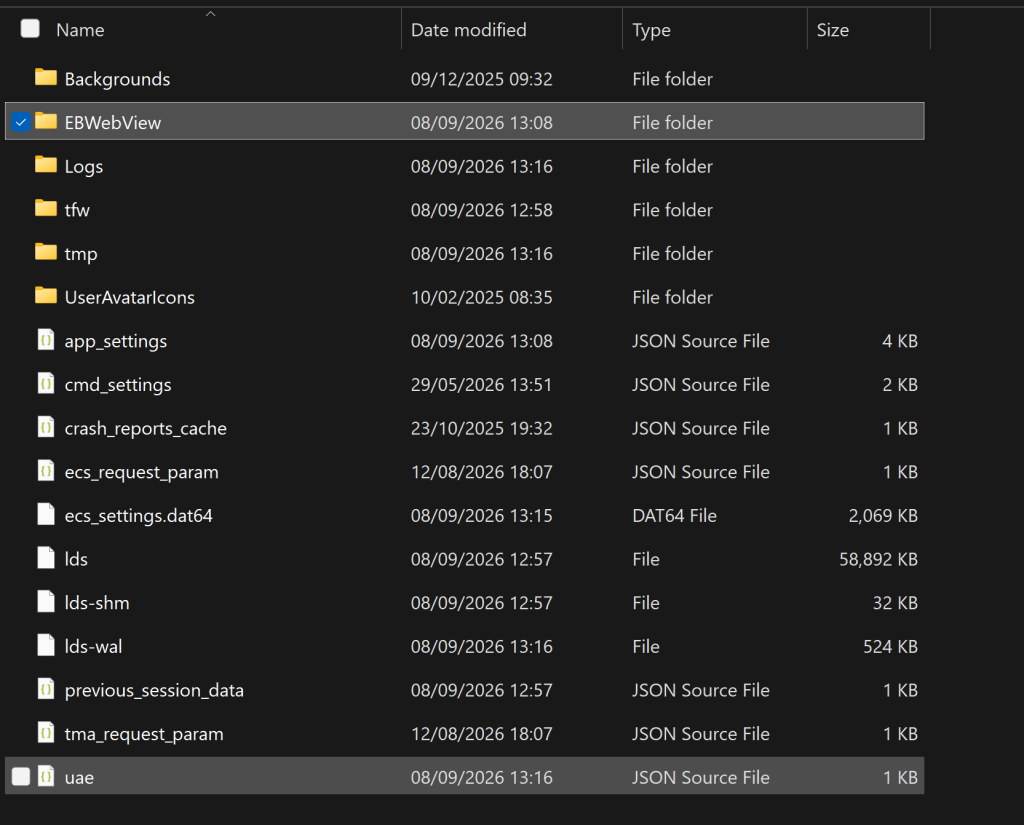
- Restart Microsoft Teams and re-open the Asset Booker application.
Alternatively, two confirmed workarounds are available for this issue:
- Open the app as a tab in a new window from within the Teams desktop client — this gets it out of the main Teams frame and away from the memory audit.
- Use Teams for web (
teams.microsoft.com/v2/) instead of the desktop client.
You may also find that closing unused apps or programmes will also reduce this error from occuring.