
The following instructions will help you apply patch updates and not the whole solution.
When would this be useful?
From time to time, we may release patch fixes or enhancements which only require an update of certain elements (as specified in the release history), therefore not requiring an update of the whole solution.
Update Process
-
Open ‘Power Apps’ in Teams and locate the environment where the application is installed. Click on the Teams environment from the list on the left, then click See all.

-
Click on the Import option along the top and then Import solution.

- Browse to locate the installation file (which should be a ZIP file, for example AssetBookerV7.81-10NOV23.zip) and then click Next.
-
The list of items displayed will have everything selected by default. Deselect everything (click the checked icon along the top).

-
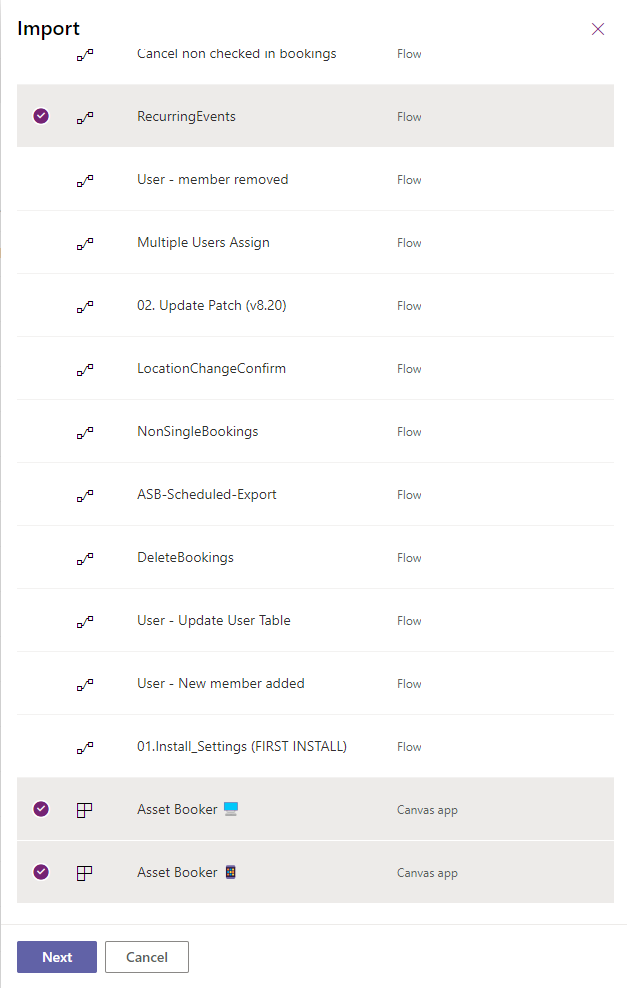
Scroll down and select ONLY the items that require updating and then click Import.

-
Only if you are updating to v8.30:
Also include the following and click Next.
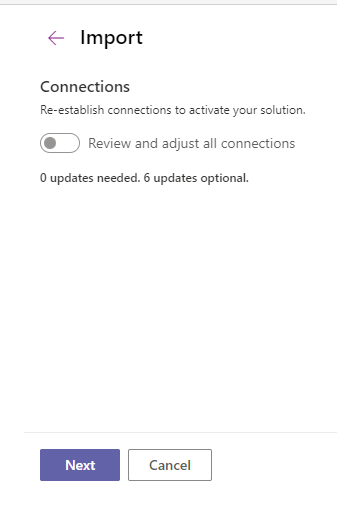
Click Next on the next screen unless there are any updates required (in the example shown, there are 0 updates).
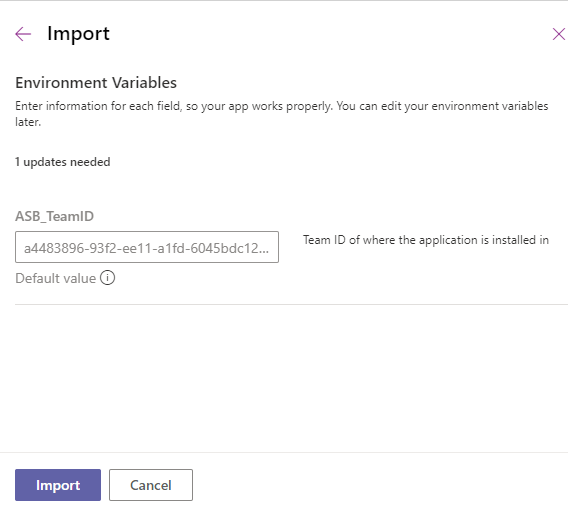
Click Next again and then click Import.
 Once the import has been successful (a notification bar will appear along the top), please run 02. Update Patch (vX.XX).
See steps 9 and 10 here.